Put Your Referral Program in Their Pocket: Apple & Google Wallet Passes
Affiliates can now save their referral card to Apple Wallet or Google Wallet, with your branding, their code, and a QR code friends can scan. Plus three print-ready card templates. No setup required.
TL;DR
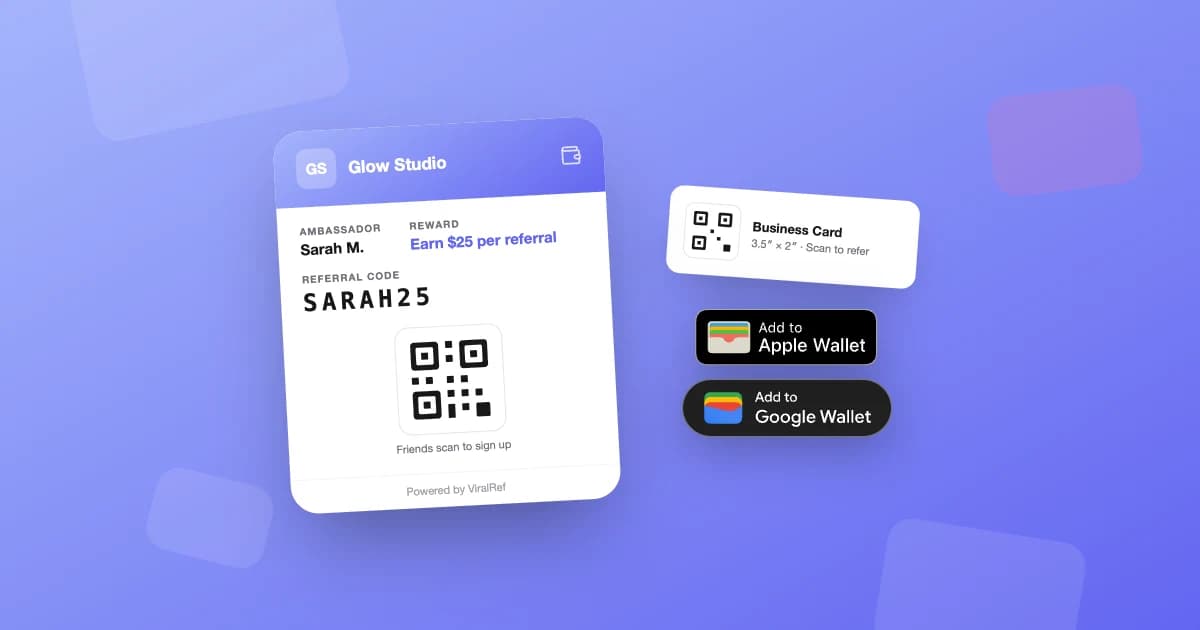
Every ViralRef affiliate can now add a referral pass to Apple Wallet or Google Wallet from their /ref screen. The pass shows your business name and logo, their referral code, the reward they earn, and a QR code friends scan to sign up. It's branded automatically from your settings -- there's nothing for you to set up. Affiliates can also print their card as a business card, table tent, or flyer.
Referral cards work right up until they end up in a junk drawer. The paper card gets handed out with good intentions, lives in a purse for a week, and disappears.
Phones don't end up in junk drawers. Starting today, every ViralRef affiliate can save their referral card to Apple Wallet or Google Wallet, straight from their /ref screen.
What's on the pass
The pass is the affiliate's personal referral card, dressed as your business:
- Your business name and logo
- Their name, labeled "Referral Ambassador"
- Their referral code, easy to read out loud
- The reward they earn (say, "Earn a $25 gift card per referral")
- A QR code that takes friends to their signup page
How affiliates add it
In the affiliate /ref screen, right under the share buttons, there's a wallet section with Add to Apple Wallet and Add to Google Wallet buttons. One tap and the pass is on the phone they already use to log in. There's no app to install and no account to create, which fits how the rest of the affiliate experience works.
Zero setup for you
There's nothing to configure. The pass picks up your business name, logo, and portal accent color on its own, and it pulls the reward line from the program you already set up. If you change your branding later, newly added passes pick it up automatically.
Why this matters
Referrals happen in the moment. Someone compliments a haircut and asks who did it. That window lasts maybe ten seconds, and "I'll text you the link later" usually means never.
With a wallet pass, the code and QR are one swipe away. The friend scans it on the spot, lands on the signup page, and the referral is tracked from that first tap.
Prefer paper? Print it
Plenty of affiliates still want something physical, and plenty of businesses do too. Next to the wallet buttons, the Print Card option offers three templates, each with the affiliate's QR code built in:
- Business card (3.5" x 2") for handing out
- Table tent (4" x 6") for counters and waiting areas
- Flyer (8.5" x 11") for windows and notice boards
Available now
Wallet passes and printable cards are live on every affiliate /ref screen today. The QR Codes & Sharing docs cover the details. Not on ViralRef yet? Pricing is here -- signing up with Square takes about five minutes.
Related articles
Automate Your Referral Program with Smart Features
Learn how ViralRef runs your referral program on autopilot with weekly digest emails, post-visit reminders, coupon auto-apply, automatic retry, and built-in fraud detection.
How Custom Domains Build Trust for Your Referral Program
Discover how using your own domain for referral links and portals increases click-through rates, brand trust, and conversion for service businesses.
How to Use Bounties to Supercharge Your Referral Program
Bounties turn your referral program into a game. Here's how to create time-bound challenges that motivate your referrers and drive bursts of new customer activity.